
Professional Revit® Addins & BIM Solutions.
BIM Management | Architecture | BIM Developing
PRIME BIM specializes in high-end architectural coordination, BIM management, and custom software development. We help engineering and architecture firms automate repetitive modeling tasks, optimize workflows, and boost productivity.
- Advanced BIM Management: Standardization, BEP coordination, and custom family modeling.
- High-End Architecture: Accurate architectural planning and parametric structures.
- Custom BIM Development: We build tailored Revit® plugins and automation scripts to suit your unique company workflow.
Looking for a Custom Application?
If you need a bespoke plugin or software integration tailored to your company's workflow, our engineering team can build it. We design specialized tools that solve Revit and Navisworks limitations.
Custom Development Contact:
Import To Family
Import Rhinoceros, SketchUp, and AutoCAD models directly into Revit as parametric Families.
Supported File Formats
Automatically import the following formats directly to their original coordinate system in Revit:
- Rhinoceros (.3dm) & ACIS (.sat): Import precise 3D solids and flat boundary surfaces.
- SketchUp (.skp): Easily import SketchUp components directly into Revit Families (available for Revit 2023+).
- AutoCAD (.dwg, .dxf): Import complex meshes, subdivs, and solids, and assign materials effortlessly.
Key Applications
- Material Mapping: Enter any existing Revit material name, and the plugin will apply it. If it doesn't exist, a new glass/solid material is created for editing.
- Single vs Multiple Families: Consolidate all geometries into one family, or automatically generate individual families for every surface and solid.
- Convert Model In-Place: Boost your BEP BIM score by exporting In-Place models as SAT and re-importing them as proper Revit families in bulk.
Screenshots
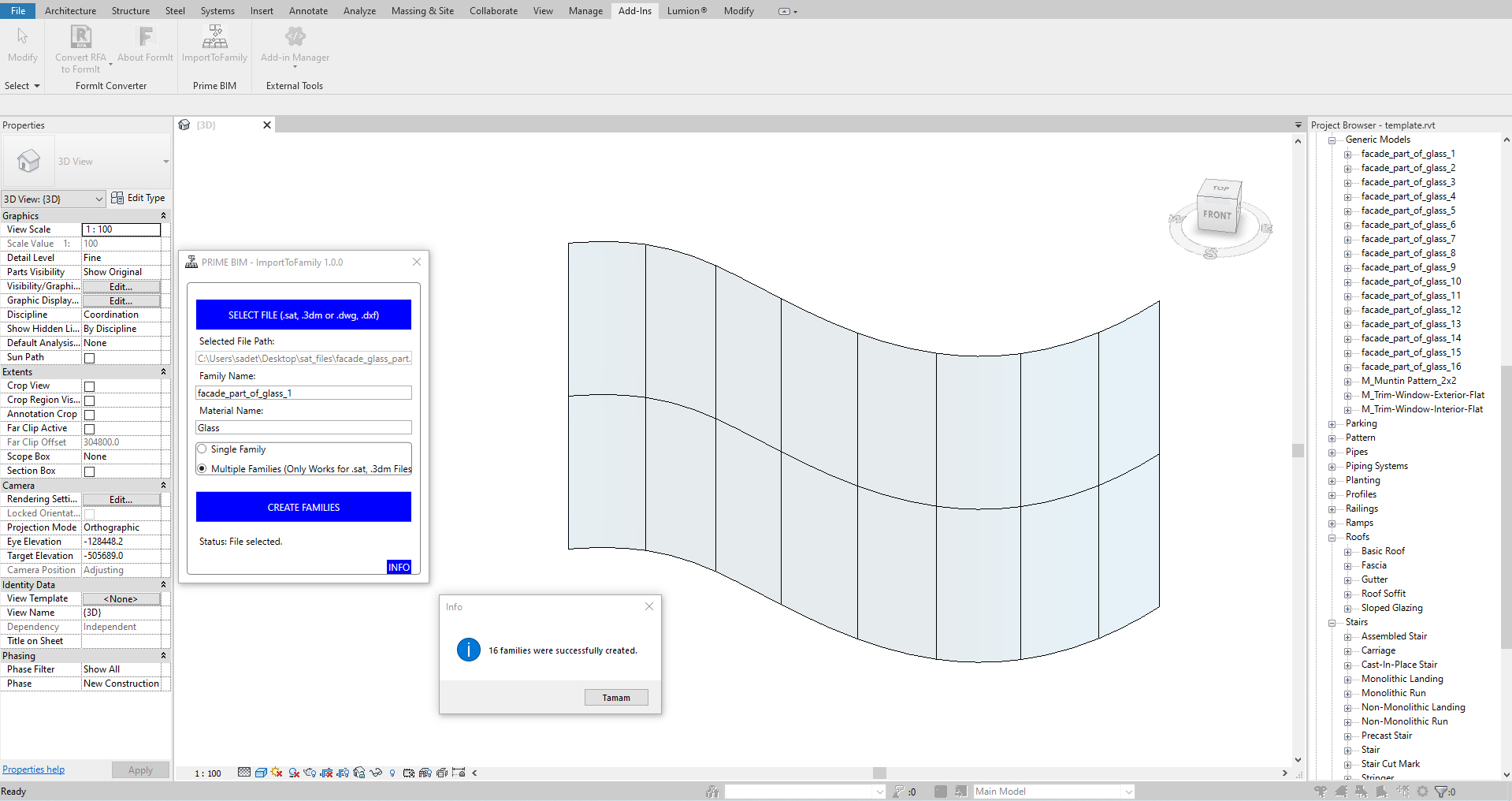
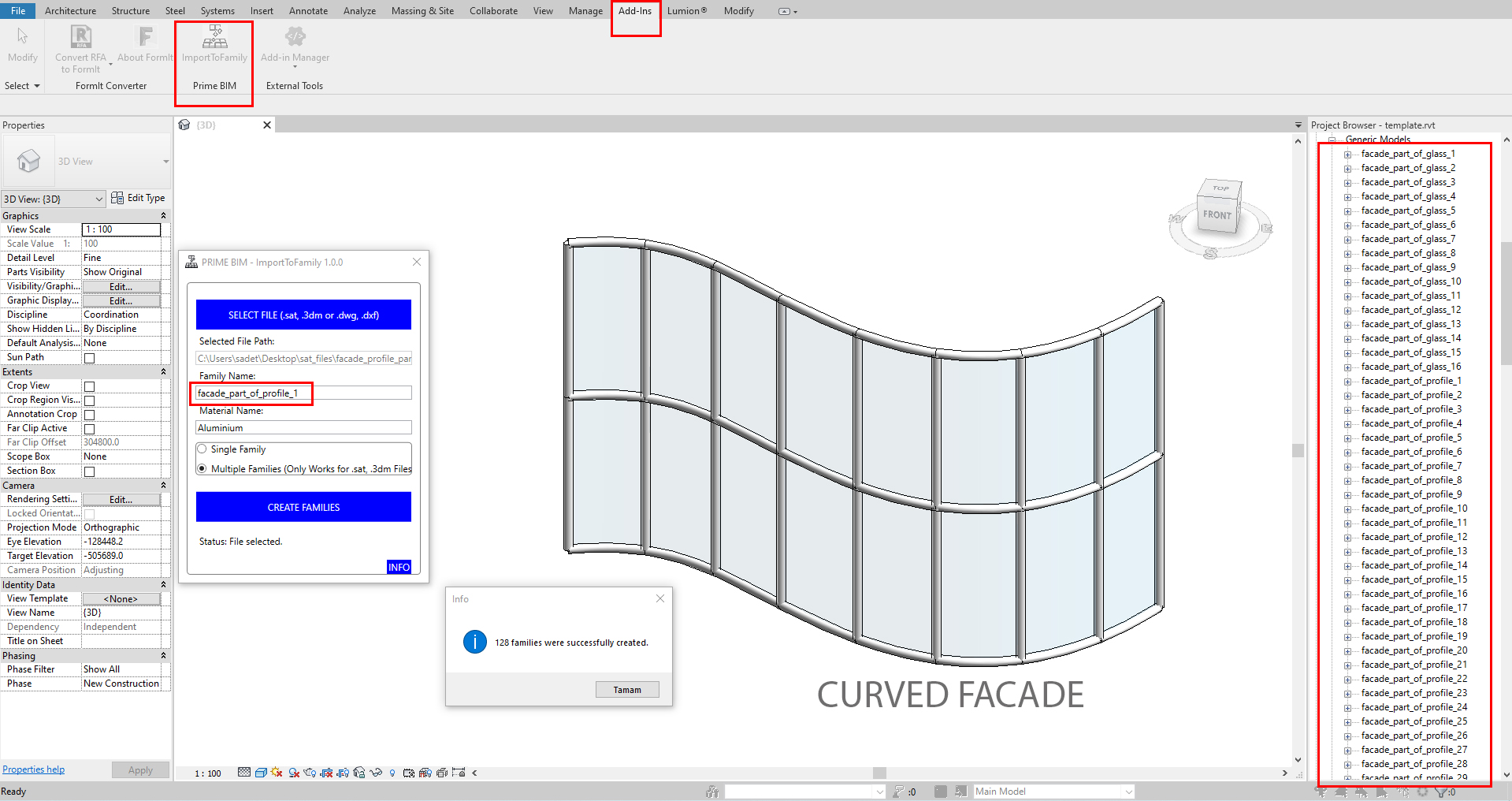
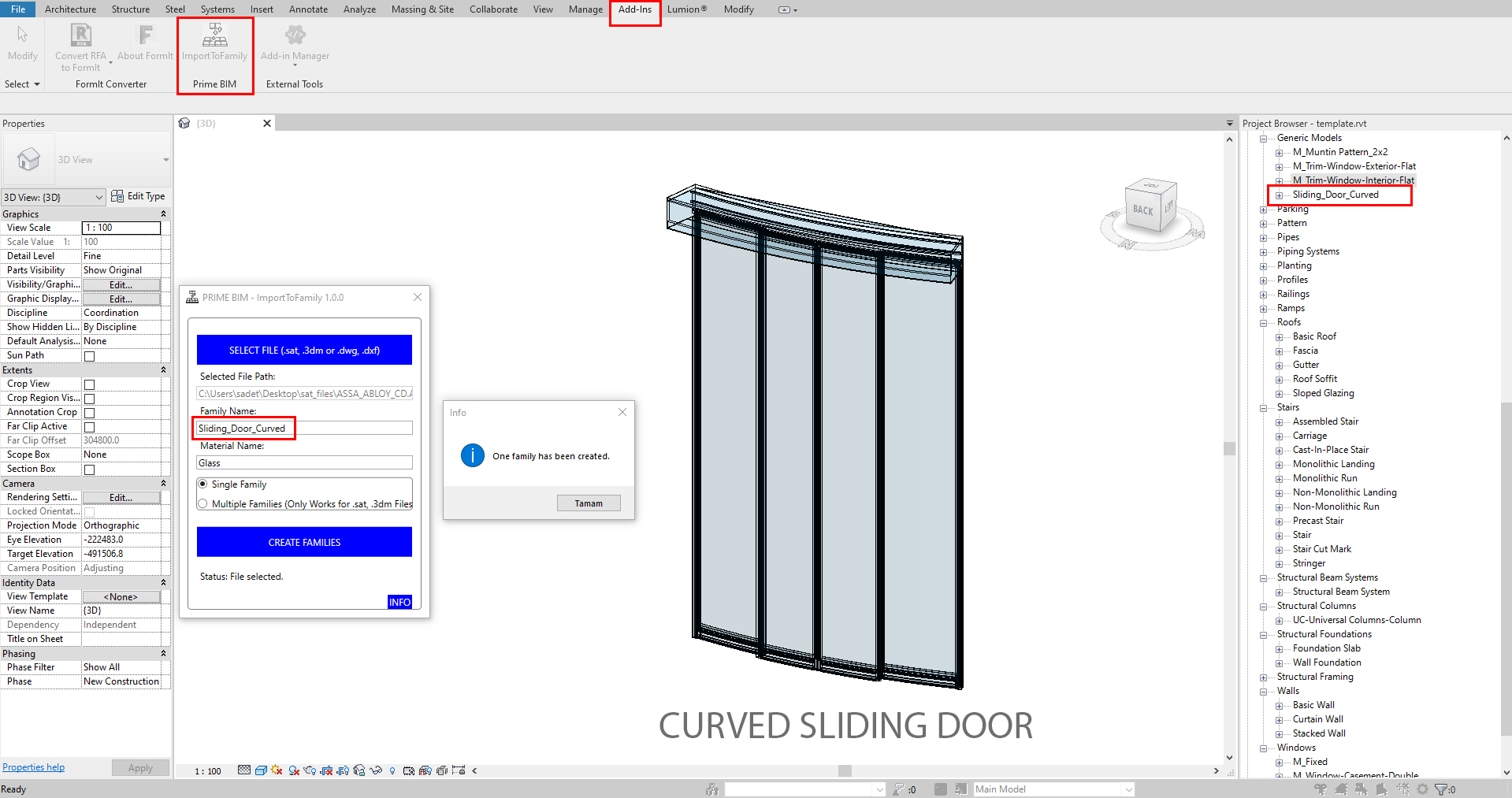
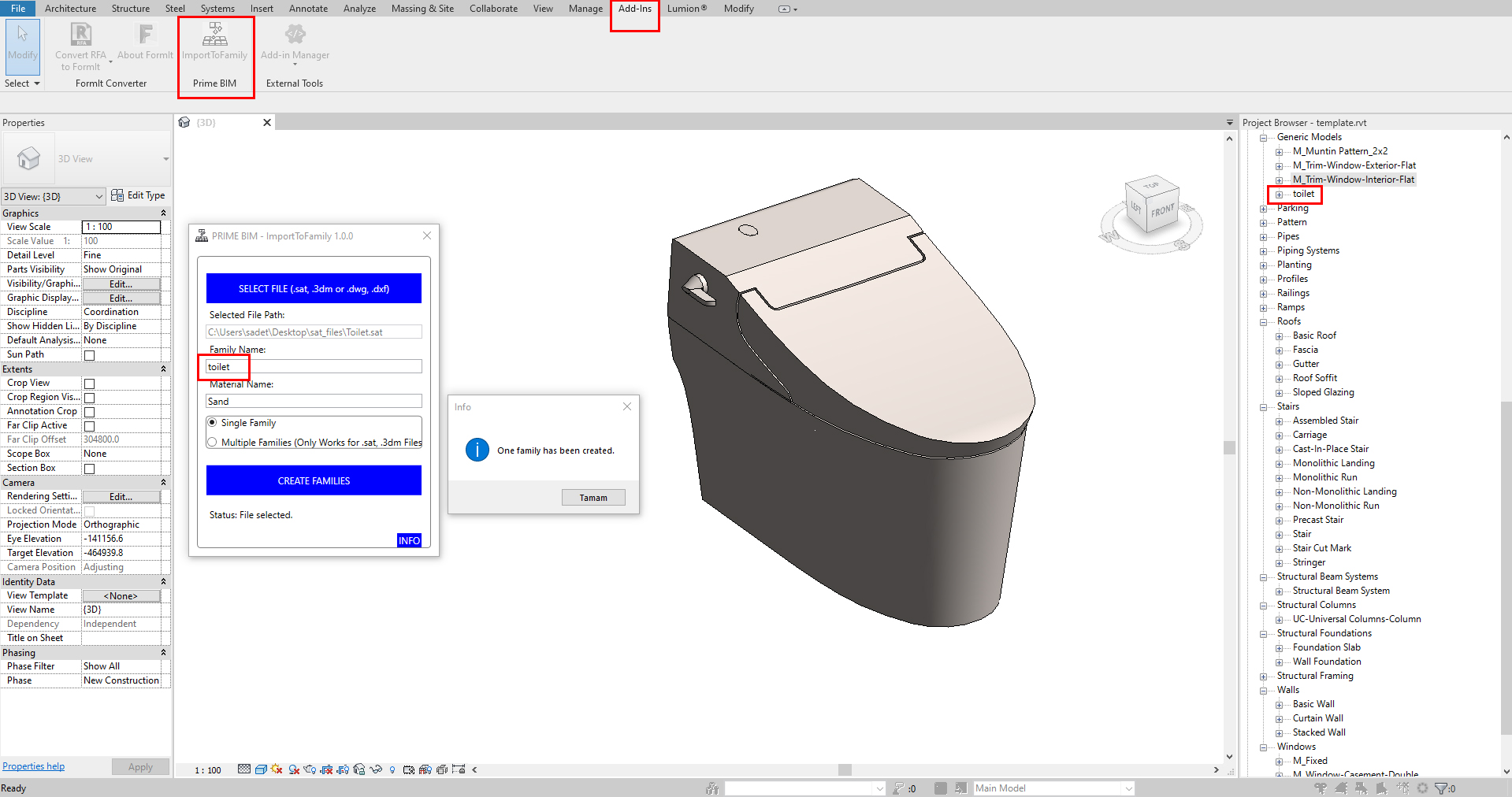
Facade Maker
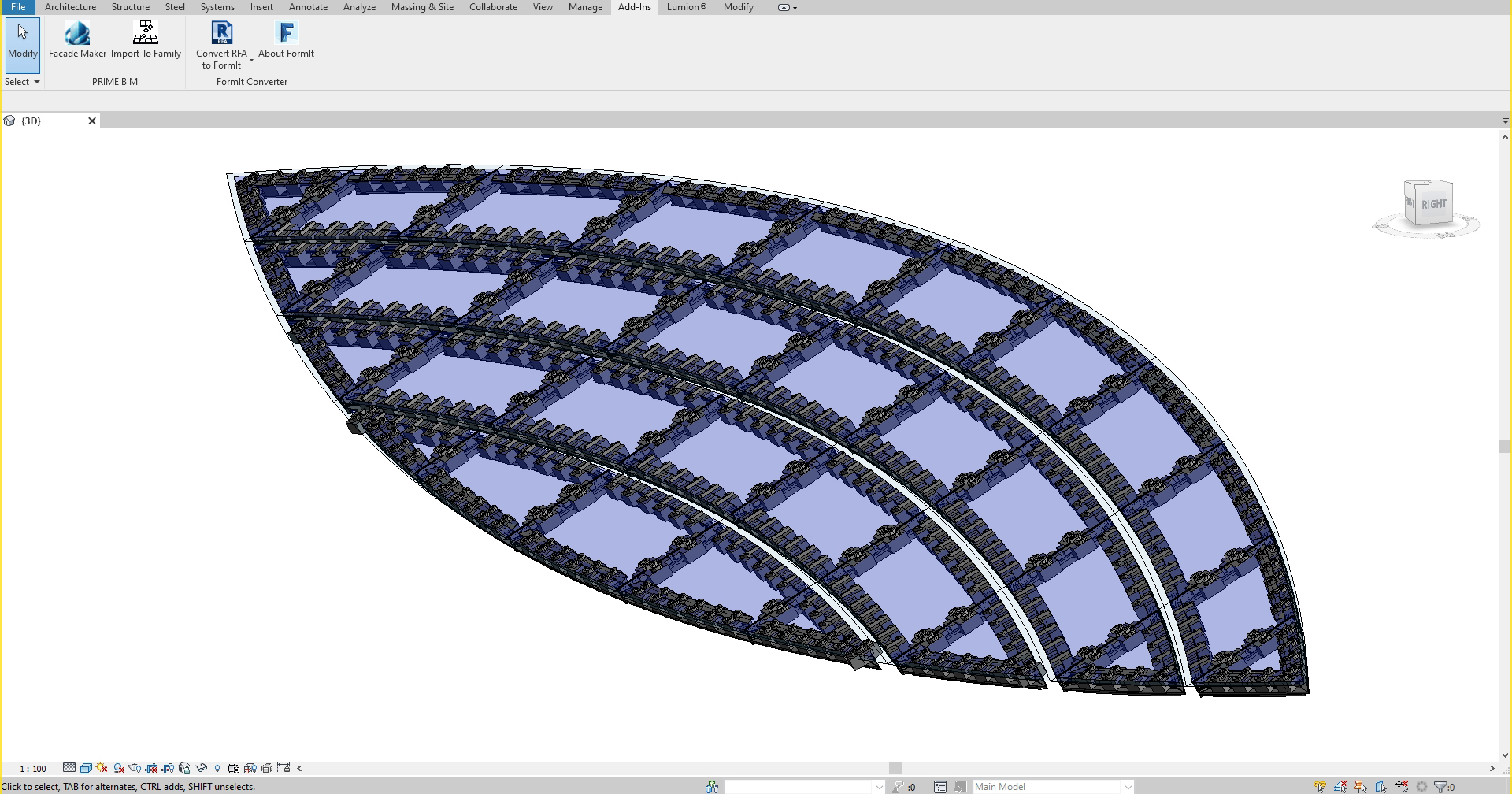
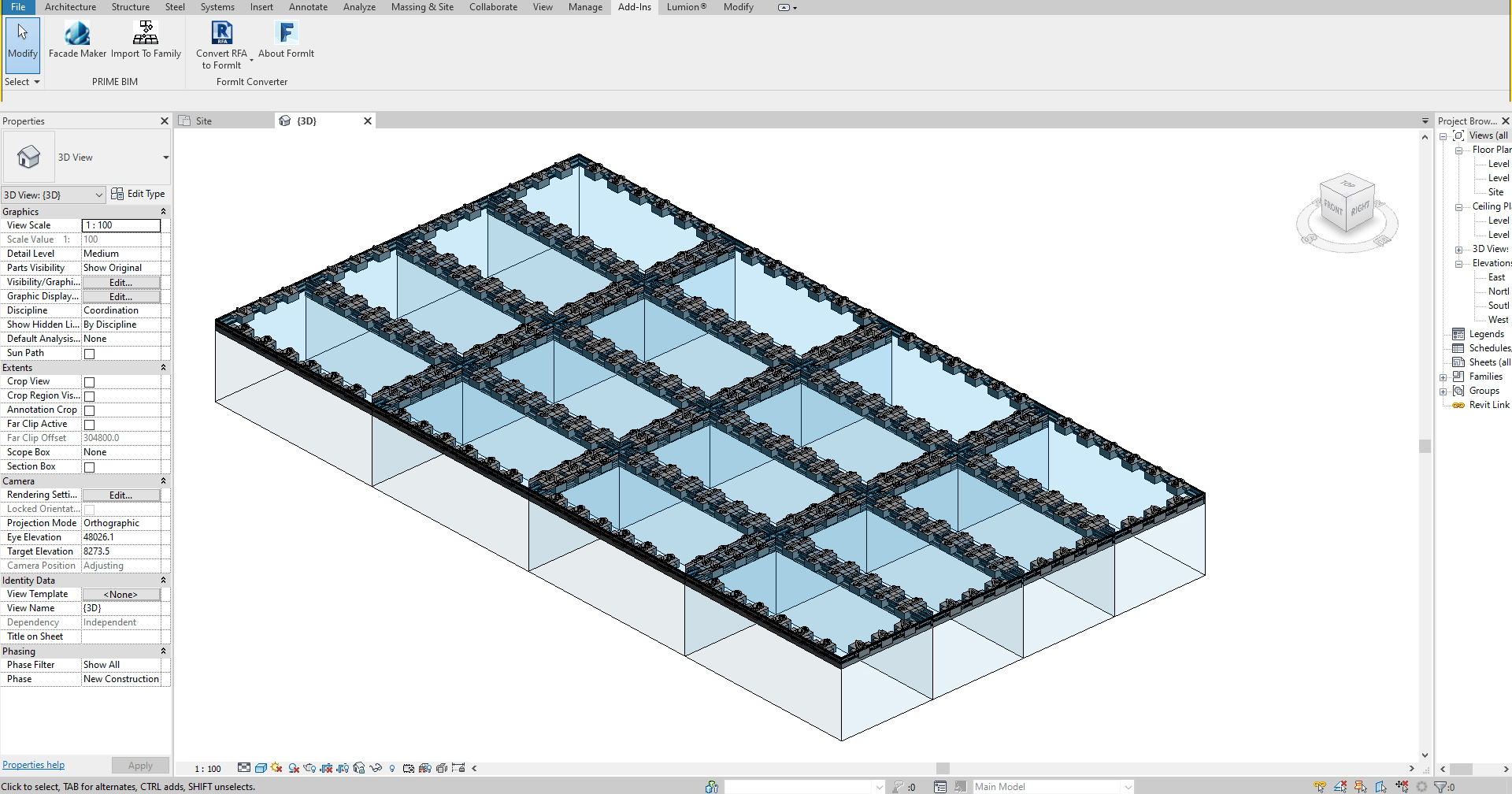
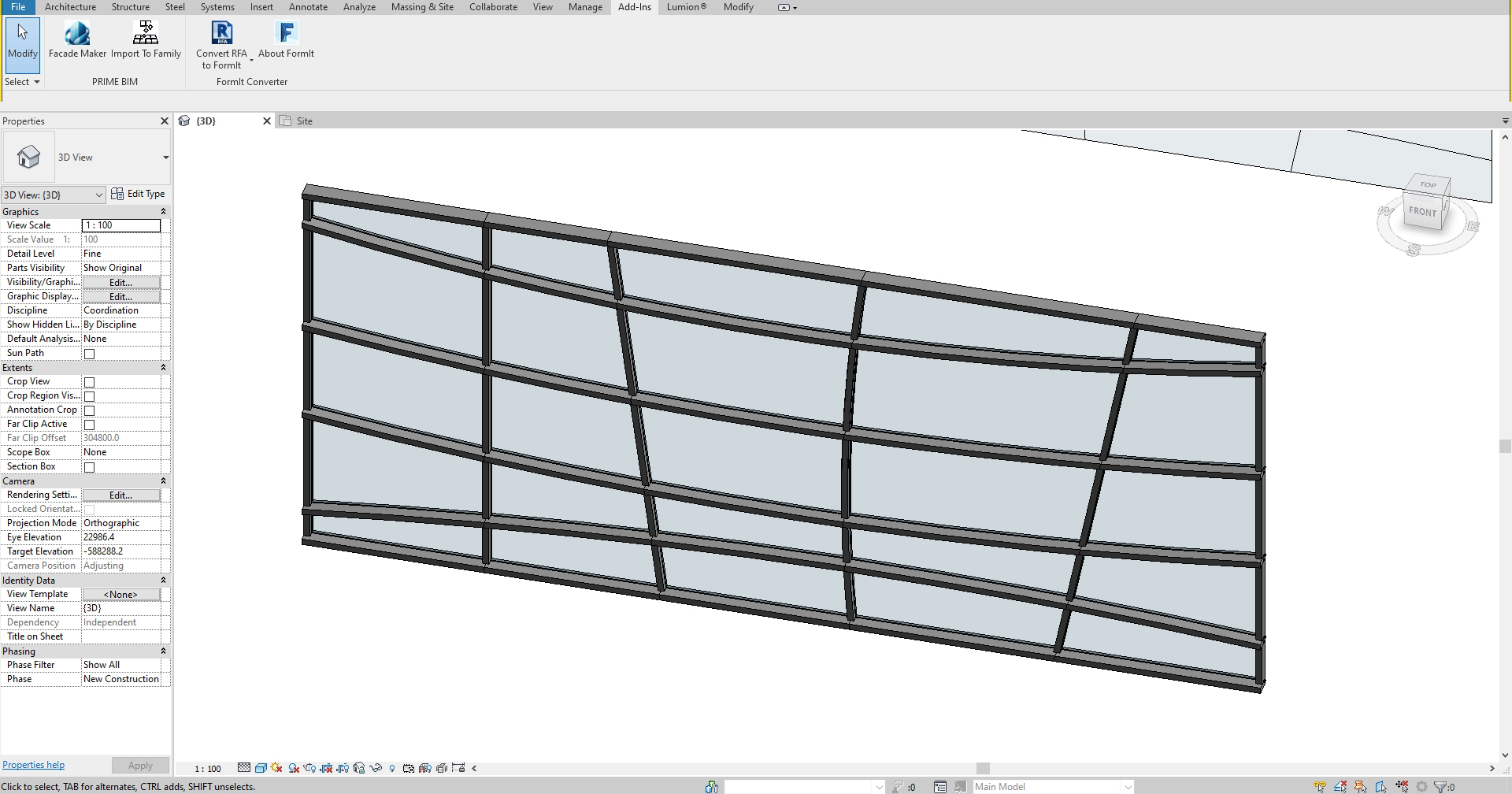
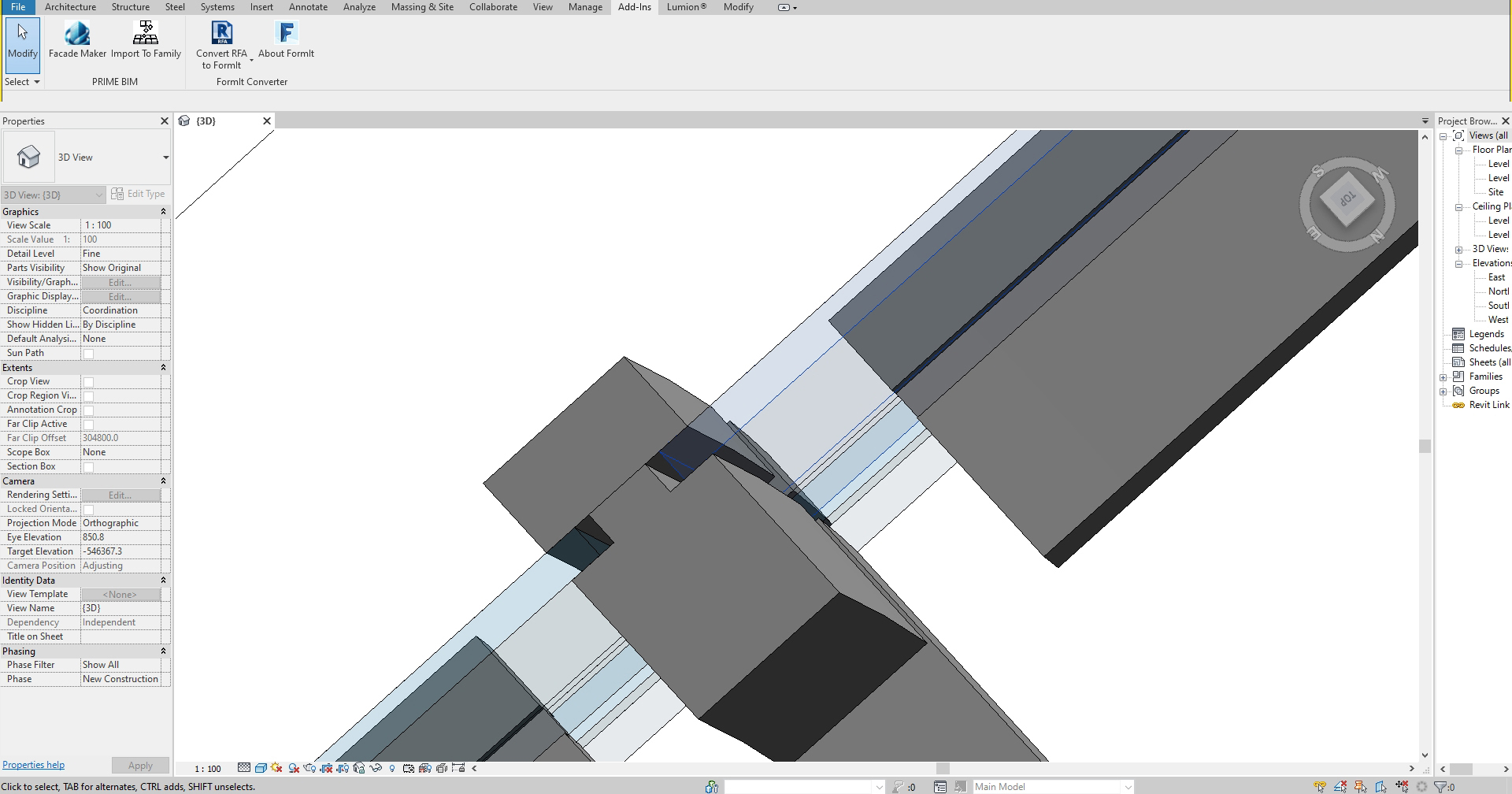
Automate curtain wall facade modeling, panels, mullions, and anchors inside Revit.
Prerequisite: Requires PRIME BIM - Import To Family to import flat panelization surfaces from Rhinoceros or SketchUp into Revit first.
Layout Configuration Tabs
- Type Tab: Toggle between Cross Type (mullions join at bisector intersections) and Straight Type (continuous main axis with intermediate divisions).
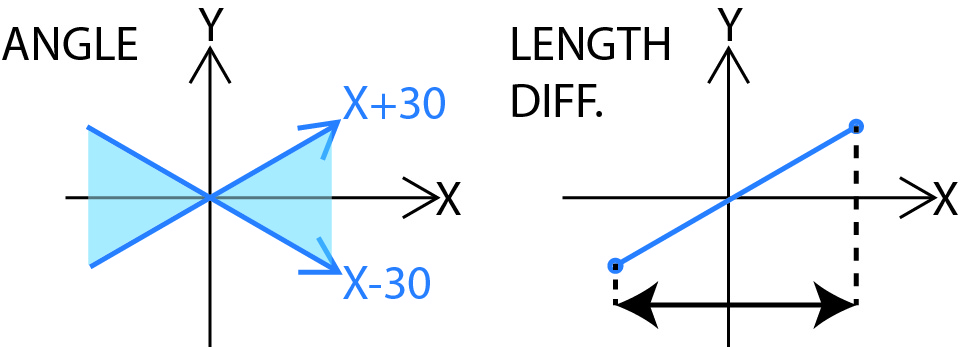
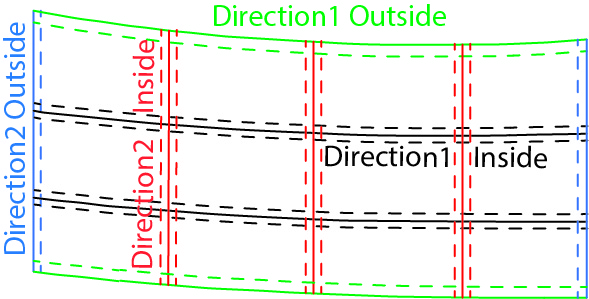
- Edge Tab: Separate edges into Direction 1 and Direction 2 using the Angle Method or Length Difference Method automatically.
- Offset Tab: Adjust inner/outer bounds differently for profiles, panels, and anchors to maintain custom facade clearances.
- Mullions, Panels, & Anchors: Load custom RFA profile drawings for mullions, define composite/glass panel thicknesses, and place face-based anchors at precise axis intervals.
Screenshots & Explanations
Essential Tools
Advanced utility package for Autodesk® Revit® to automate model auditing and finishing.
Essential Tools provides architectural teams with a unified toolkit to handle finishes, join priorities, and element navigation inside Revit model databases, cutting drafting times by up to 80%.
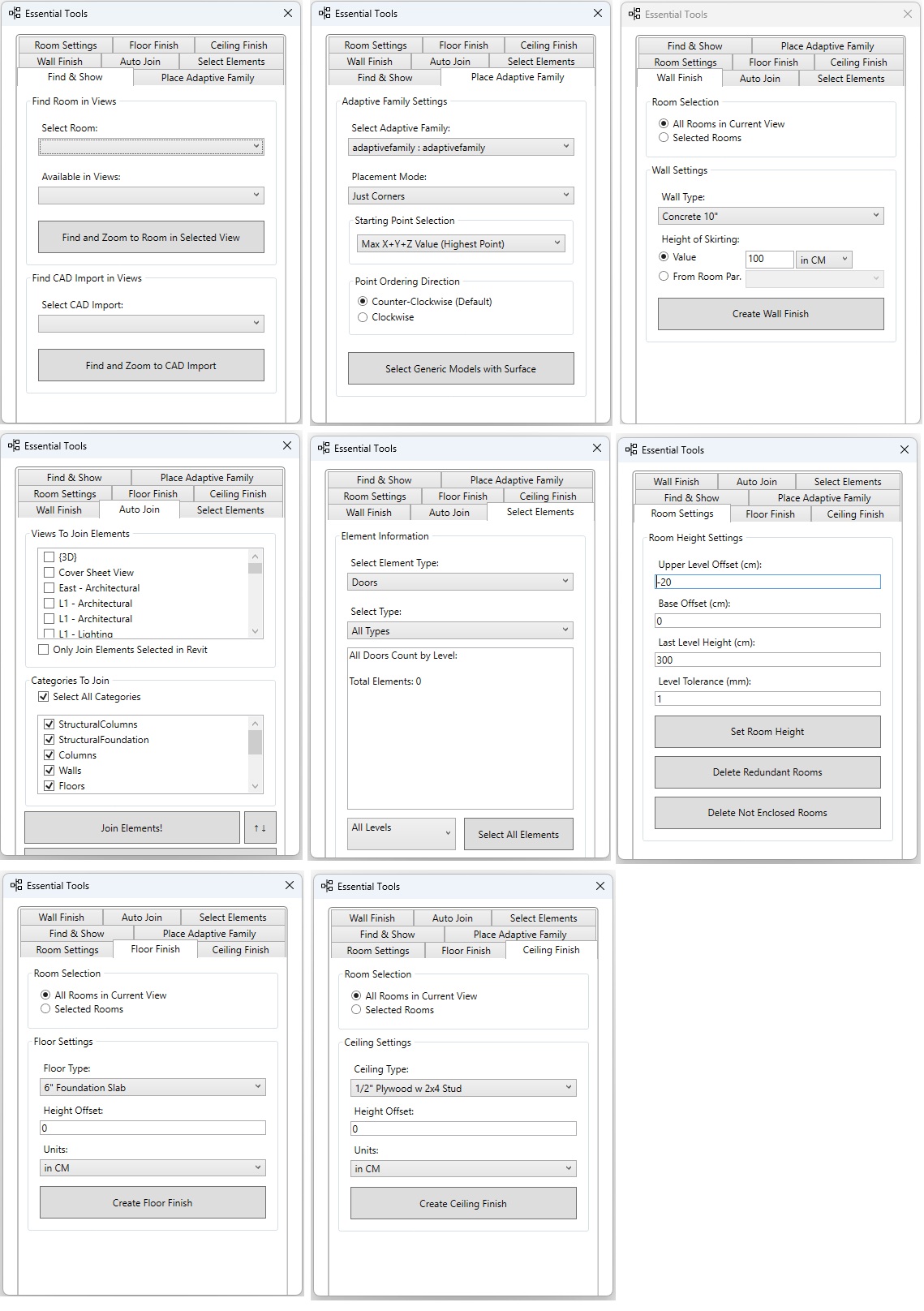
Room Management
Auto-adjust room heights, clear redundant boundaries, and remove non-enclosed spaces with one click.
Auto Join System
Apply join operations across custom category layers and manage join order/priority in active views.
Finish Creation
Generate floor finishes, ceilings, and wall skirtings automatically from active room boundaries.
Adaptive Placement
Place parametric adaptive components along selected generic model surfaces, corners, or midpoints.
CAD & View Audits
Locate imported DWGs, identify levels, and filter view-based active elements instantly.
Height Calibration
Adjust level constraints, tolerances, base offsets, and boundary height constraints dynamically.
Boost your BIM Productivity
The Essential Tools add-in operates directly within Revit's native database structure, ensuring that room volumes, join configurations, and finishes remain highly accurate and lightweight for your models.
Support & Contact
Get help, report bugs, or request custom Revit application development.
Installation & Uninstallation
Installation: Simply run the executable setup downloaded from the Autodesk App Store. Re-launch Autodesk Revit to activate the plugin ribbon.
Uninstallation: Exit Revit, then rerun the setup installer and click "Uninstall". Alternatively, go to Windows Control Panel > Programs and Features, select the plugin name, and uninstall.
Custom BIM Solutions
We build bespoke software packages for architects, constructors, and BIM engineers. If your team requires advanced modeling pipelines or custom file converters, get in touch with our development department.
Custom Development Contact:
General Support
For technical support, licensing issues, or subscription adjustments, please reveal our primary support email and submit your inquiry.
Primary Support: